
How to make flashcards from a PDF without keeping the bad ones

A generator can turn a forty-page PDF into eighty flashcards before you have read the title page. That is technically successful and usually a poor result. The deck is now larger than the part of the document you needed, and every confident answer still has to be checked.
The useful workflow has two separate jobs: extract the few claims worth remembering, then verify that each card says what the PDF says. Automation should reduce typing. It should not remove selection or evidence.
Before you upload the PDF
Decide what the document is for. A research paper you need to discuss, a lecture handout you need for an exam, and a manual you will consult at work produce different cards.
Write one sentence before opening a tool: “After this, I need to explain the authors' mechanism and the two limits on their conclusion.” That sentence is a filter. A definition unrelated to it may be accurate and still not deserve months of review.
Check the file itself. A text PDF lets a tool select and cite exact passages. A scan may need optical character recognition, and formulas, tables, footnotes, and two-column layouts can be read in the wrong order. If you cannot select a sentence cleanly in the PDF viewer, assume extraction needs extra checking.
The five-step method
1. Read enough to know the document's shape
Do not ask a generator to decide importance before you know what the document is trying to do. Read the abstract or introduction, the section headings, and the conclusion. For a lecture handout, scan the learning objectives and worked examples.
You are building a map, not memorising yet. Mark which sections answer your purpose and which are references, appendices, repeated background, or administrative detail.
2. Extract claims, not every sentence
A useful card represents one claim, distinction, procedure, or decision you expect to retrieve later. It should not be a sentence split into two halves merely because the tool can do that.
Suppose a paper says that a training effect appeared on the practised task but did not transfer to a different task. A weak card asks, “Did training have an effect?” A better card asks, “Where did the training effect appear, and what limit did the transfer test reveal?” The second keeps the qualification attached.
Set a hard ceiling. For a short paper, start with five to twelve cards. A textbook chapter may justify more, but “more” should come from more distinct useful claims, not more available paragraphs.
3. Require a supporting passage
For every proposed card, keep the page and the exact passage that supports the answer. If the generator cannot provide either, treat the proposal as unverified.
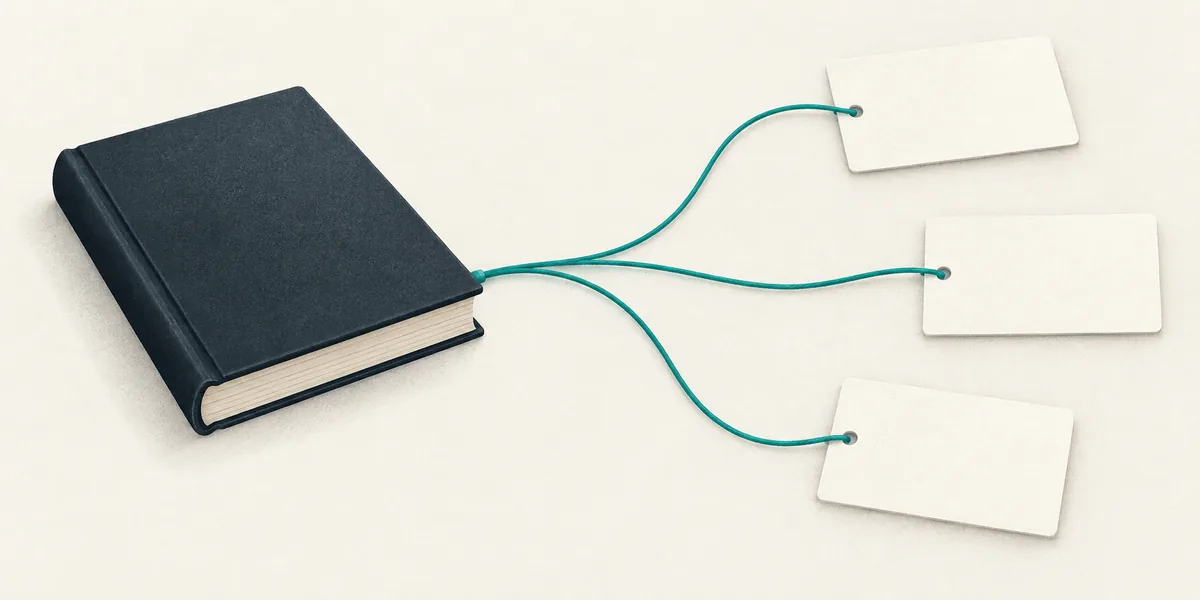
The passage is the difference between a fluent card and a checkable card.
This catches subtle errors. The answer may reverse a comparison, drop “in this sample,” turn an association into a cause, or combine two sections into a claim the authors never made. Reading the cited sentence takes seconds. Discovering the error after rehearsing it takes longer.
4. Rewrite prompts for recall
Generators favour definition cards because definitions are easy to recognise in text. Your future use may require an explanation, comparison, or procedure instead.
Change “What is interleaving?” into “Why can mixing problem types improve choosing a method, even when practice feels harder?” Change “What are the three stages?” into “Given this situation, which stage comes next and what must happen there?”
Keep one answer per card. If the answer has seven unrelated bullets, split it or decide which part matters. A card should be difficult because retrieval takes effort, not because the prompt is vague.
5. Review the proposals before saving
The proposal screen is where quality is decided. Drop duplicates, facts you can look up, claims outside your purpose, and anything whose passage does not support its answer. Edit language that gives away the answer.
Then try each card once without looking at the PDF. A prompt that made sense while the paragraph was open may be ambiguous a day later. Fix the cue now, while the source is still familiar.
A prompt for a general model
If you use a general chat model, paste only the relevant section when the document and its licence allow it. Then use constraints like these:
Propose at most eight cards from this passage. Prefer mechanisms, distinctions, and procedures over definitions. Each card must ask one clear question. For every answer, include the exact supporting sentence and page number. Do not use knowledge outside the passage. If the passage does not support an answer, do not create the card.
The page number may still be wrong if the extracted text lost pagination, so check it. The quoted passage is the stronger evidence.
Do not upload confidential, medical, legal, employment, or unpublished material to a service unless you understand its storage and training terms. For sensitive documents, use an approved local workflow or write the cards yourself.
Choosing a PDF-to-flashcard tool
The market has many generators. Compare them on the output you will maintain, not the animation shown during upload.
| Criterion | Why it matters | What to test |
|---|---|---|
| Passage citation | Lets you verify claims | Can every card open the supporting text? |
| Selection controls | Prevents card floods | Can you set focus and a maximum count? |
| Proposal review | Keeps weak cards out | Can you edit and drop before scheduling? |
| OCR handling | Scans often break extraction | Does it show the extracted text or warn clearly? |
| Export | Protects your work | Can another tool read the result? |
| Review schedule | Determines long-term use | Is there a daily queue and a manageable limit? |
Anki is excellent after cards exist and accepts imported material through several routes. RemNote keeps cards close to notes and can work from documents within a broader workspace. Quizlet makes sets quick to create and practise. Agent Memo reads the source, proposes a smaller set with passages attached, and lets you keep or drop before anything enters review.
Use the same two pages in every tool you test. Count how many proposals you would actually keep, how long verification takes, and whether the export preserves the answers and source references.
PDFs that need special handling
Scanned documents
OCR can confuse characters, join columns, and skip marginal notes. Compare the extracted passage with the page image. A card based on a misread number is still wrong even when the generator copied its input faithfully.
Academic papers
Keep the population, method, and limits near the result. “X improved Y” is usually too broad. Ask what was measured, against which comparison, and whether the paper supports causation or only association.
Slides exported as PDF
Slides often omit the explanation the speaker gave. A bullet may be a reminder, not a complete claim. Do not let a generator invent the missing lecture around it. Add your own notes or keep the card narrower.
Manuals and procedures
Prefer scenario prompts and ordered decisions. A card asking for a whole ten-step procedure is brittle. Break at meaningful decision points, while keeping warnings and prerequisites attached.
Books and long reports
Process them by section, but keep one document-level purpose. Independent batches otherwise repeat the same introduction and produce inconsistent wording. Deduplicate before review.
Where the workflow breaks
The first failure is card volume. Generation makes creation feel free while every saved card creates future review work. The review budget, not the upload limit, should decide the count.
The second is false confidence from citations. A quoted passage can be present and still fail to support the answer. Read the relationship, especially words such as “may,” “in this sample,” and “after adjustment.”
The third is skipping the first recall attempt. A clean proposal is not yet a usable prompt. Close the source, answer it, and notice where the wording allows two interpretations.
The fourth is treating the PDF as timeless. Policies, prices, technical manuals, and medical guidance change. Put a version or publication date in the source metadata, and remove cards when the document is replaced.
Frequently asked questions
Can ChatGPT make flashcards from a PDF?
It can draft cards from text it can access. The useful result depends on extraction quality, a strict count, and checking each answer against the document. Do not assume a fluent answer came from the PDF.
How many flashcards should a PDF produce?
There is no reliable cards-per-page ratio. Start from the claims you need and a review budget you can maintain. A focused paper may justify fewer than ten; a dense course chapter may justify more.
What if my PDF is a scan?
Run OCR in a tool you trust, then inspect the extracted text around every proposed passage. Tables, equations, columns, and footnotes deserve extra attention.
Should I turn highlights into flashcards?
Highlights are candidates, not finished prompts. Convert the claim into a question that requires recall, keep the supporting passage, and drop highlights that only sounded interesting at the time.
Can I import PDF flashcards into Anki?
Many generators export CSV or an Anki-compatible package. Test a small export first and verify field mapping, line breaks, media, and source references before importing a large batch.
What to do now
Take one section of one PDF. Write the purpose in a sentence, cap the proposals at eight, require a passage for every answer, and keep only what survives a cold attempt. If you want that proposal-and-check flow built in, capture the PDF in Agent Memo.
Read next: Why most generated flashcards are worse than none.